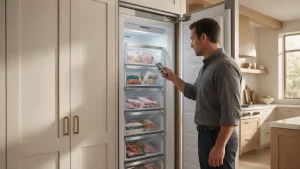
Source: Liebherr User Guide freezer (S)GN(es) (7088306-00)
On Liebherr freezers that make ice, the display can show the word WATER beside the appliance fault symbol, with an audible warning. The message is about the supply to the IceMaker, not about the cooling system.
At a glance
| Code | WATER |
|---|---|
| Appliance | Freezers |
| What it means | Water inlet fault: the IceMaker water connection is not open, the feed is interrupted or the inlet filter is blocked; the IceMaker switches off. |
| First thing to try | Open the door. |
Three causes Liebherr lists
- The water connection to the IceMaker is not open.
- The water feed is interrupted.
- The filter in the water inlet hose connection is blocked.
The manual for the (S)GN(es) freezer gives these three and no others. The IceMaker switches off when you acknowledge the message by pressing the fault symbol.
Step by step, as the manual orders it
- Open the door.
- Press the appliance fault symbol on the display. The beeping stops and the screen returns to the home screen.
- Close the door.
- Open the water connection. As an alternative, inspect the connection and hoses against the installation chapter, or clean the inlet filter.
- Switch the IceMaker back on through its menu setting.
- If WATER shows up again, contact customer service.
Silencing the tone does not restore the water. Until the supply is fixed and the IceMaker is switched on again, no new ice is produced.
Safety notes that apply
The same manual says the manufacturer is not liable for damage caused by a faulty fixed water connection, that connection to the drinking water mains must be done by a qualified water engineer, and it tells you to pull the mains plug when there is a fault. Check for wet floor around the supply line before touching hoses, and leave valve or plumbing repairs to someone qualified if you find a leak.
See also
- WATER on a fridge-freezer: the same message in a combined appliance
- F0 to F9: faults with no owner steps, unlike this one
San Francisco IceMaker service
If the supply is open, the filter is clean and the message persists, call (415) 704-7087. Tell us what you opened or cleaned, and have the type plate details at hand.